



Essential tips for staying connected on SoundCloud, whether you’re between releases or looking for creative inspiration.
Welcome to Sound Advice, the weekly interview series spotlighting artists’ creative process and their SoundCloud journey. We’ll get the inside knowledge straight from the source on how musicians, producers and creatives are leaning into everything Next Pro offers to elevate their sound, reach the right audience and catapult their careers.
This week on Sound Advice, we’re highlighting five different ways to stay connected and keep your audience engaged, whether you’re between releases or looking to experiment on SoundCloud. Trying out different content ideas – while strategically leveraging Next Pro features – can play an integral role in helping find your voice, get to know your audience on a deeper level and build a vibrant, engaged community.
Whether you’re a seasoned Next Pro user or just getting started, here are five creative ways to stay connected while off-cycle.
Upload an early demo of your song.
By definition, a demo (short for “demonstration”) is a song, or collection of songs, recorded with the understanding that it is not a final, complete or fully polished idea. Given its work-in-progress nature, demos can be used in several different ways, such as determining which direction a track should go musically, inviting other collaborators into the process or polling your audience to gather feedback. Demos can be referential throughout the songwriting process, allowing you to track your progress or revisit an earlier version of a song months later if an idea needed some time to marinate. Whether you decide to share a demo publicly or create a private link to DM to others, SoundCloud is built to be used like a sketchbook.
Learn more about sharing private tracks on SoundCloud.
Estrada’s Demo Goes Viral
Los Angeles indie artist Estrada uploaded a one-minute-long demo of his track, “Found It,” last year and found himself receiving a viral response from fans across social media. In our Sound Advice interview, Estrada shared more about the making of “Found It,” noting that while he wasn’t planning on finishing the song originally, “SoundCloud has always been a safe space for doing things like [uploading demos]. SoundCloud really makes it where you don’t feel judged for putting out music you like.”
Record a voice note taking listeners behind the making of your track.
Uploading a voice note commentary is a quick and easy way to share more about your creative process. Hitting the record button and talking about your track gives audiences a behind-the-scenes glimpse into the making of a song, EP or album, and that audio file can be uploaded to SoundCloud following the same steps as you would for any other piece of music you’ve created. If it’s helpful to give your voice note a format or guide to follow, you can give yourself a brief outline of topics to discuss, such as inspiration behind a track or techniques/instruments used during the recording process. Recently, indie pop group The Ting Tings recorded a SoundCloud-exclusive voice note to pair with their new single, “Down,” inviting audiences into the music-making process and sharing more about what inspired the track.
Learn more about unlimited uploads with Next Pro.

Alfie Jukes Uses Voice Notes to Connect With Audiences
Taking the concept of voice notes to the next level, UK indie-pop artist Alfie Jukes weaves together snippets of early demos or recordings with commentary, creating “behind the music”-style audio episodes. During our Sound Advice interview, Alfie elaborated on what inspired the concept, noting, “When I’m writing music, the ideas are very random, the demos all go on my phone and I’m always filming in the studio, so there’s so much evidence of the creation of the music and SoundCloud is the place for it to live.”
Create and upload alternate versions of your songs.
SoundCloud is a mecca for music discovery, and uploading different versions of your music is one way to connect with music lovers who may find your music through searching for alternate versions. Everyone has their favorite method of discovering music on SoundCloud, and that includes seeking out acoustic, sped-up, slowed-down, instrumental or special versions of songs (such as an extended mix or a preview snippet). Sharing stems or remixes would also fall into this category, and the remix community is especially active on SoundCloud. Creating different versions of your songs also opens up limitless creativity, and as an artist, you may even find yourself enjoying another interpretation of a song more than the quote-unquote original version. Once you create and upload different styles of your music, you can also make a playlist featuring each version, and pin it to your profile with Next Pro.
Learn more about who is listening to your music using the Fans tool.
Savanna Leigh Gets Creative With Uploads
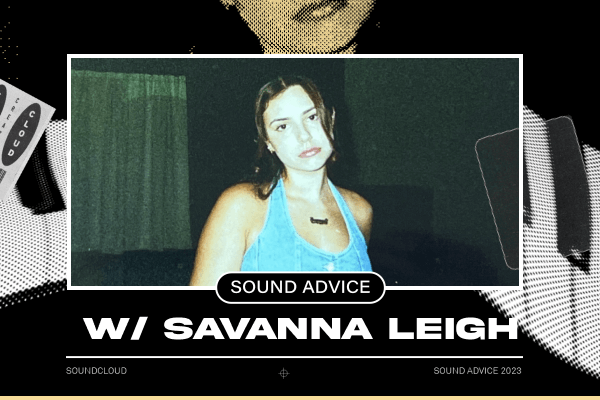
Florida-born singer-songwriter Savanna Leigh – who, in the earlier stages of her career, recorded cover versions of some of her favorite songs and shared them on SoundCloud before building up to releasing originals – likes to share acoustic versions of her songs because it can “bring a different perspective to the listener.” As Savanna explained in our Sound Advice interview, “I write a lot of stuff acoustically – I start most of my songs in my room on guitar or piano – and I like to give people that side of the song and bring them back to how I originally wrote it.”
Use the DM feature to share teasers or snippets of work-in-progress tracks.
Sharing snippets or teasers of tracks you’re working on with fans can help you decide what to finish, while also keeping you connected with your most engaged listeners. Using the Fans tool, which is located within the SoundCloud For Artists dashboard, you can learn more about who is listening to your music and connect with them directly on a one-to-one basis.
How to get the most out of the DM feature on SoundCloud.

ATTLAS Uses DMs to Gather Feedback From Different Perspectives
As Canadian producer ATTLAS shared during our Sound Advice interview, DMing snippets of tracks and demos to different types of people on SoundCloud will yield different kinds of feedback that can help inform or guide your creative process. “Your musician friends are going to like different things than your DJ friends or your accountant friends who just like listening to music,” ATTLAS shared. “It’s really interesting getting the feedback from the different points, but it’s all collected in one centralized location [on SoundCloud].”
Stay tuned next week for more of our favorite tips, and subscribe to the Sound Advice newsletter for a weekly dose of ideas for engaging fans and turbo-charging your artist profile. See all of our Sound Advice columns here.